
3.4 Add Fund
Step-by-step guide to add funds to your account using different payment methods.
Credit Card
- Choose Credit Card.
- Fill in card information.
- Enter the amount and complete the payment.
Payoneer
- Choose Payoneer.
- Enter the amount or choose the amount you want to add to the balance.
- Click the Continue button.
- The message transaction is your Account name.
- Once you complete the transaction, enter the exact transaction ID, upload proof, and click Done.
PayPal
PayPal is currently under system maintenance and will be updated later.
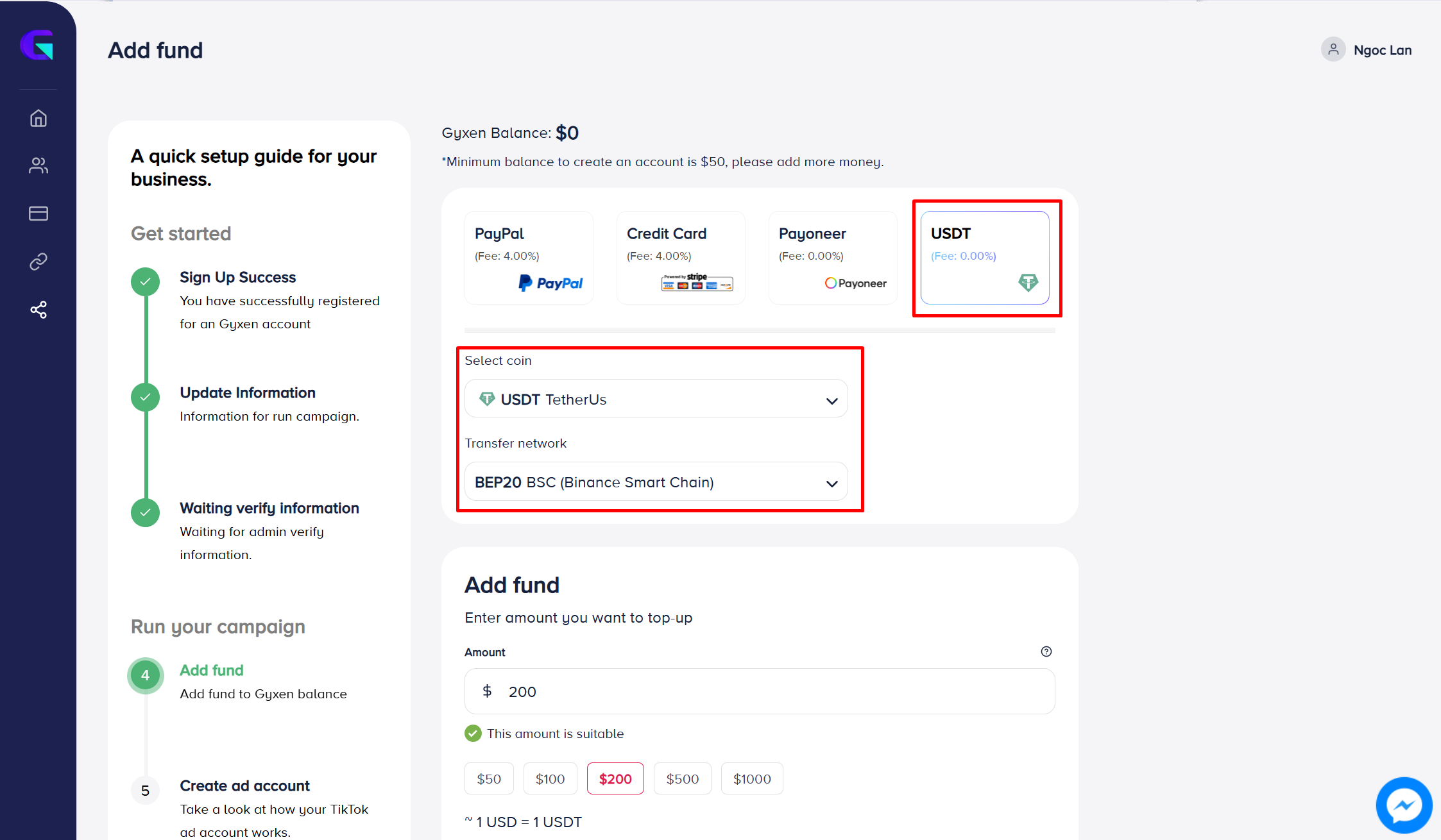
USDT
- Choose USDT.
- Select Coin → Choose the coin you want to use.
- Transfer Network → Select the correct network.
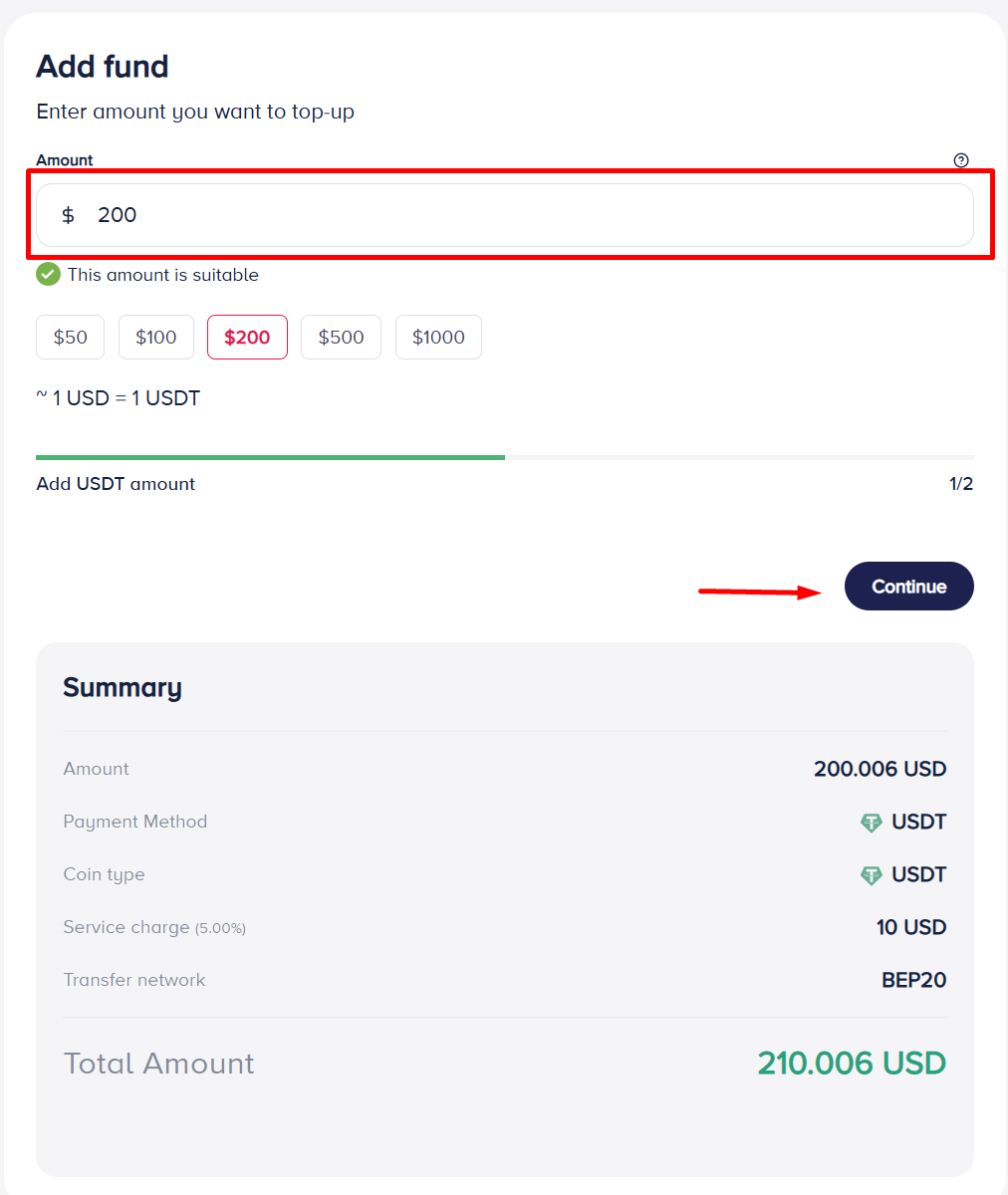
- Enter the amount or choose the amount you want to add to the balance.
- Click the Continue button.
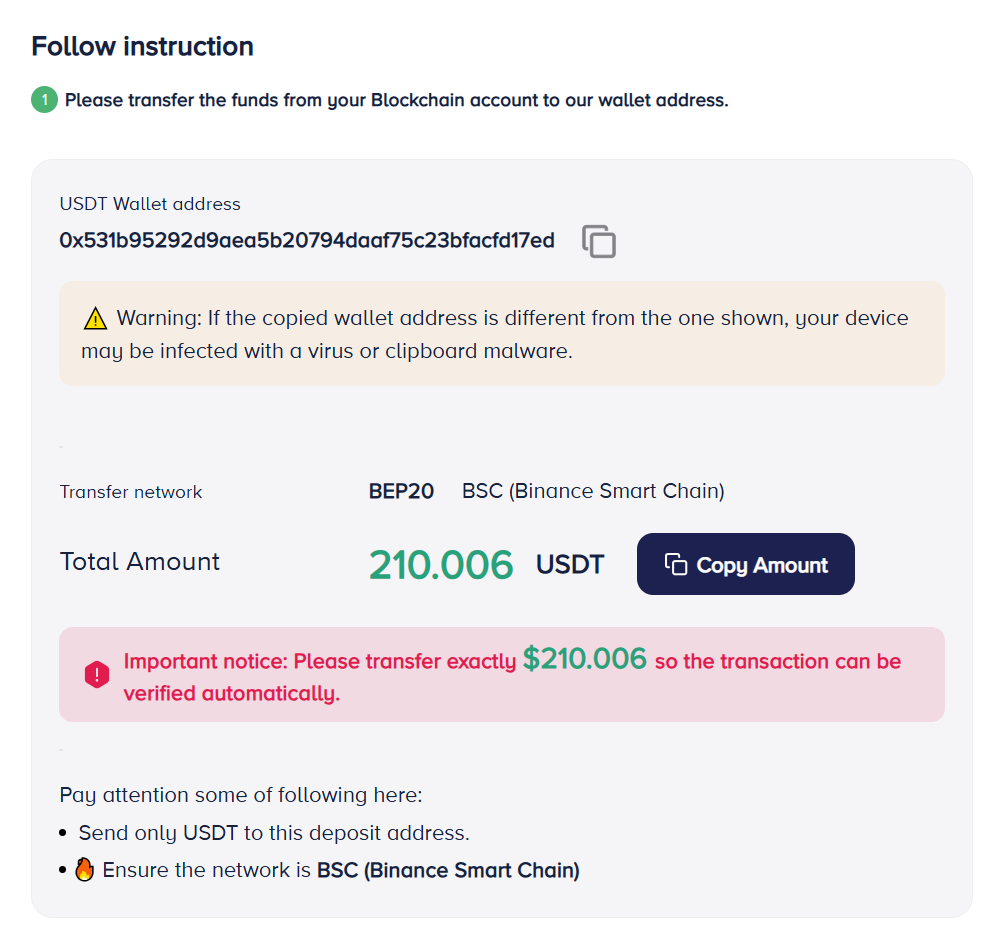
- Transfer the money from your wallet to our wallet address exactly as shown.
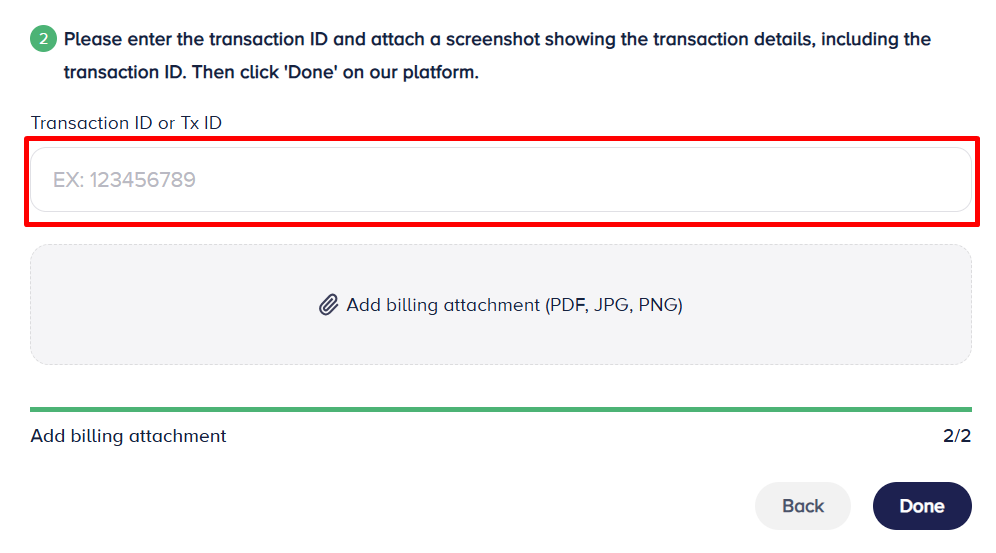
- Enter transaction ID, upload proof, and click Done.
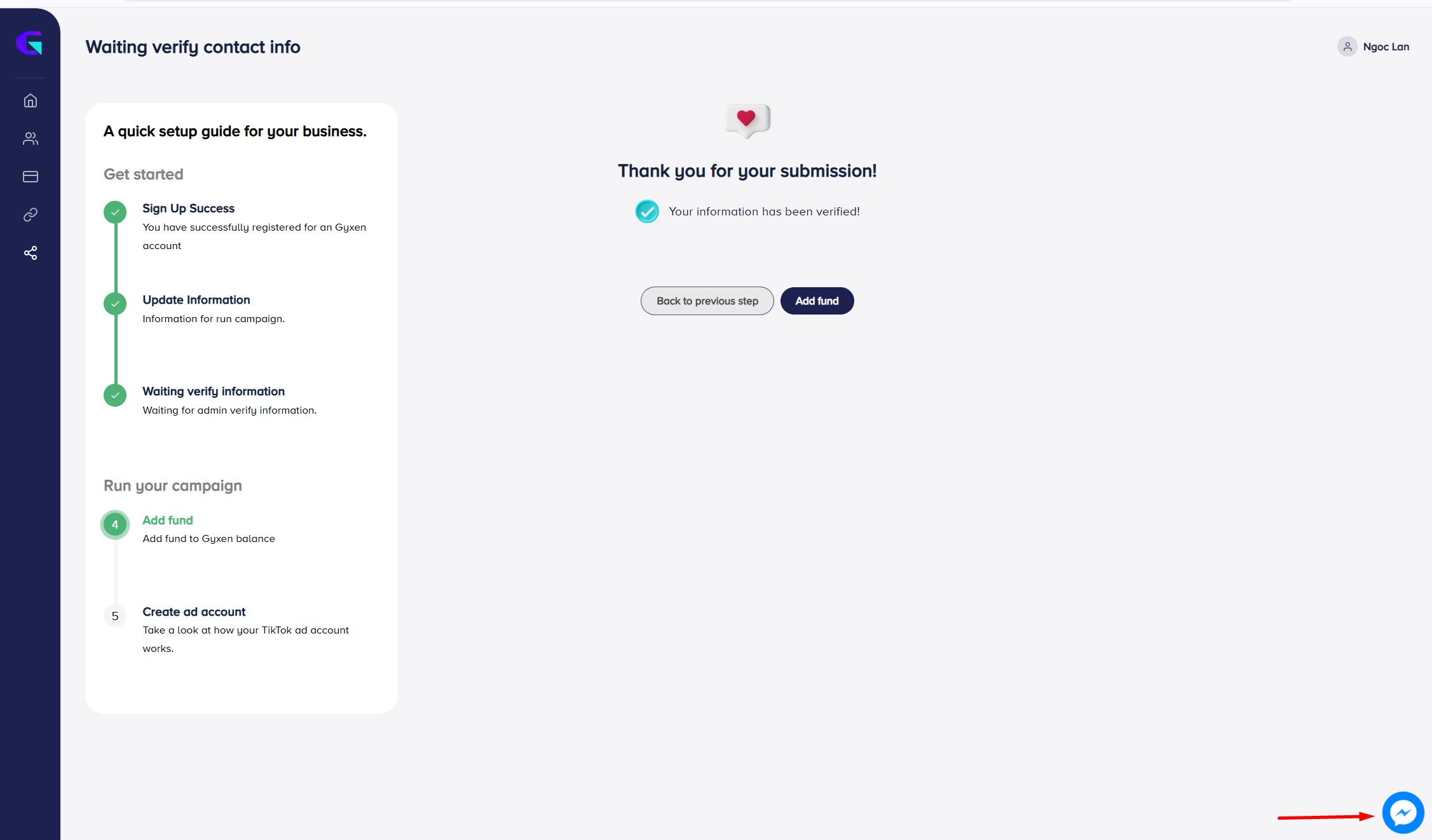
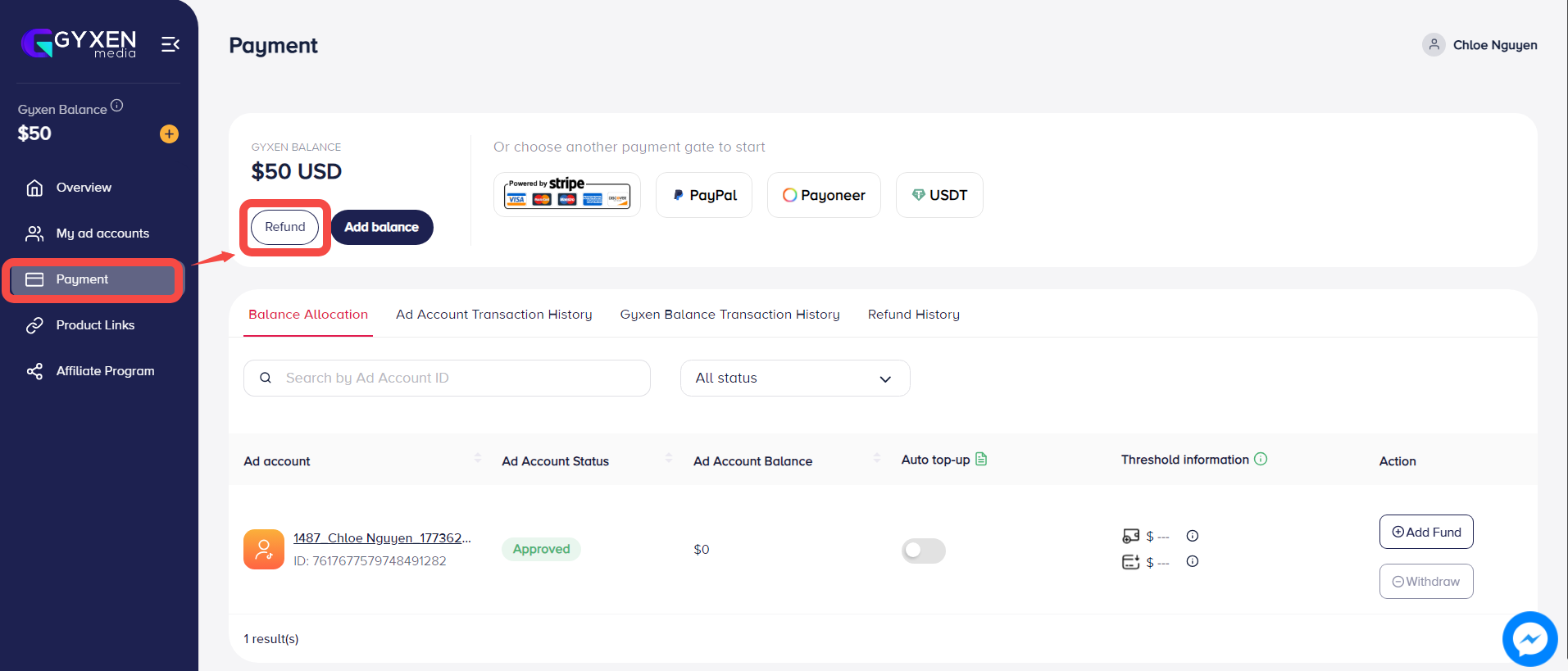
You've successfully added funds — please check your Gyxen balance.
NOTE: If you encounter any issues, please contact your Account Manager directly, or reach out to us via Gyxen fanpage for support.