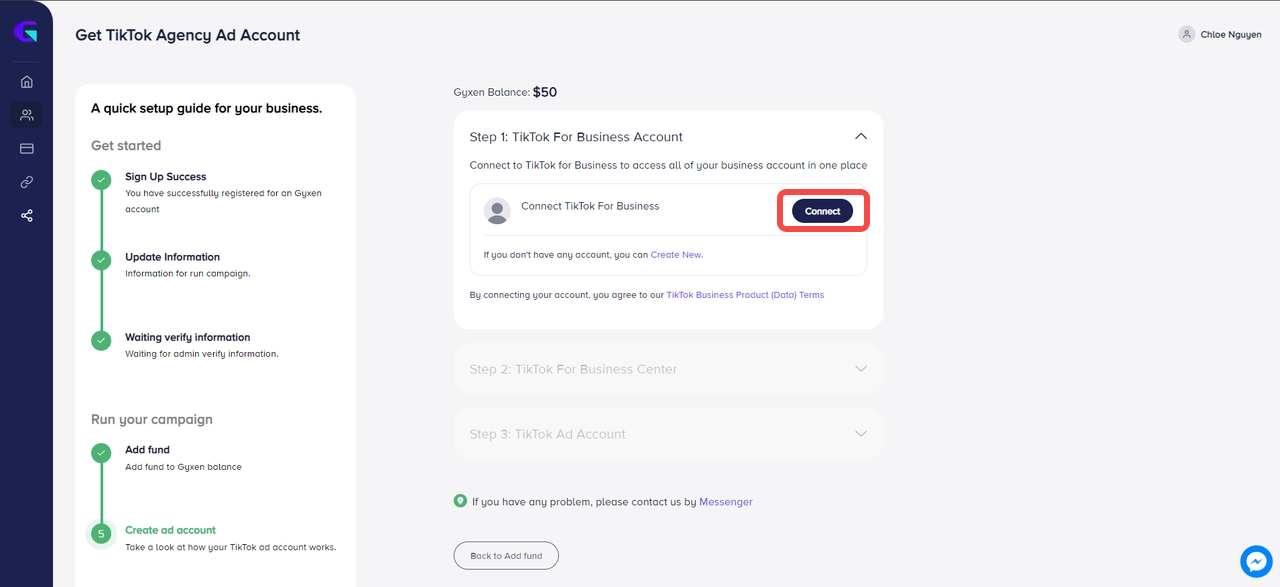
- Choose Connect to link with your TikTok For Business account.
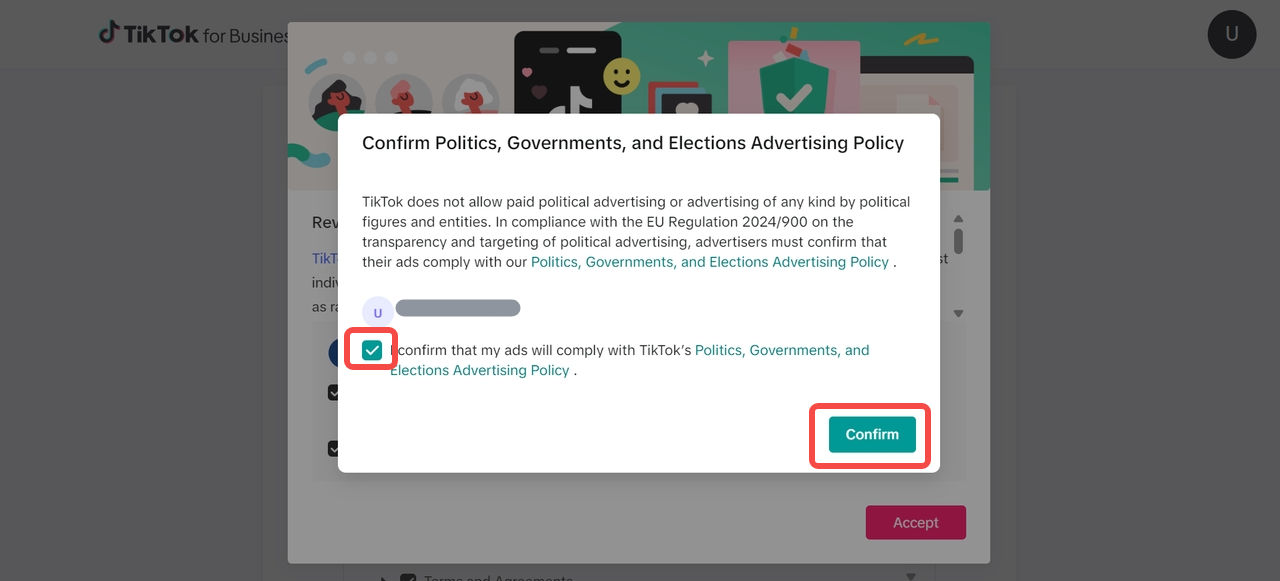
- You will be redirected to the TikTok for Business page to proceed.
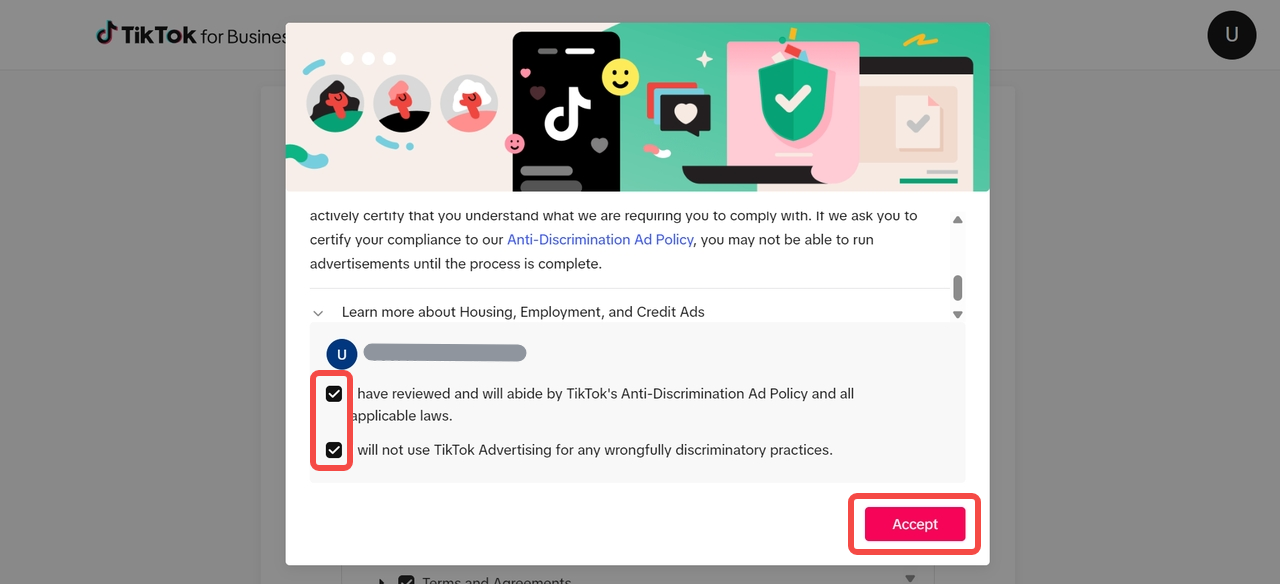
- Tick the two boxes below and select Accept.
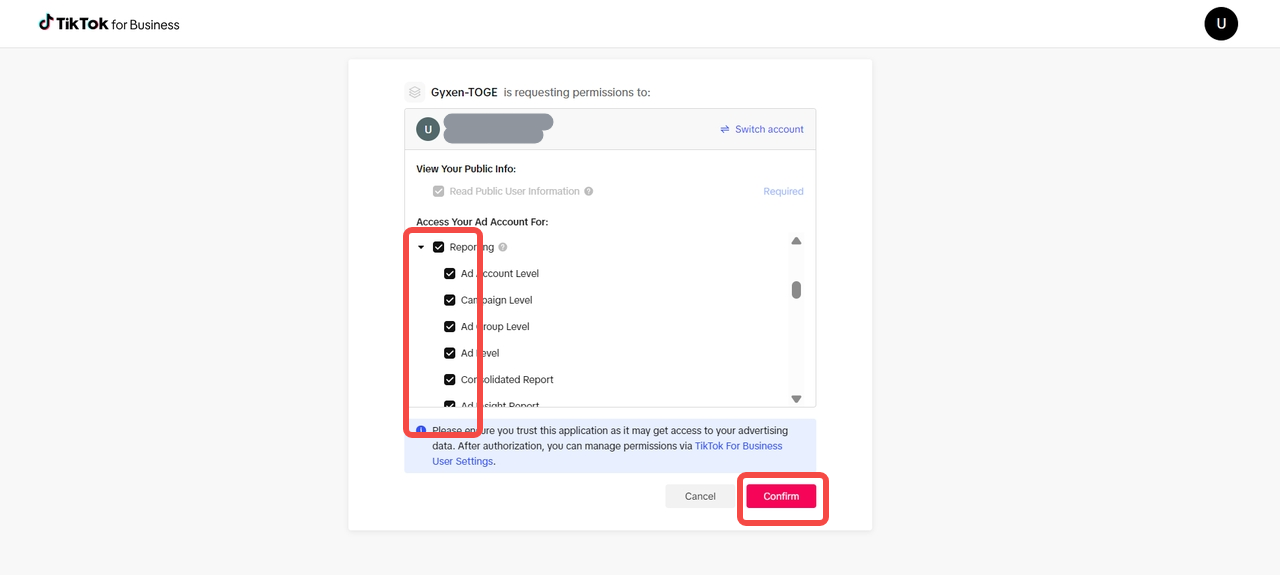
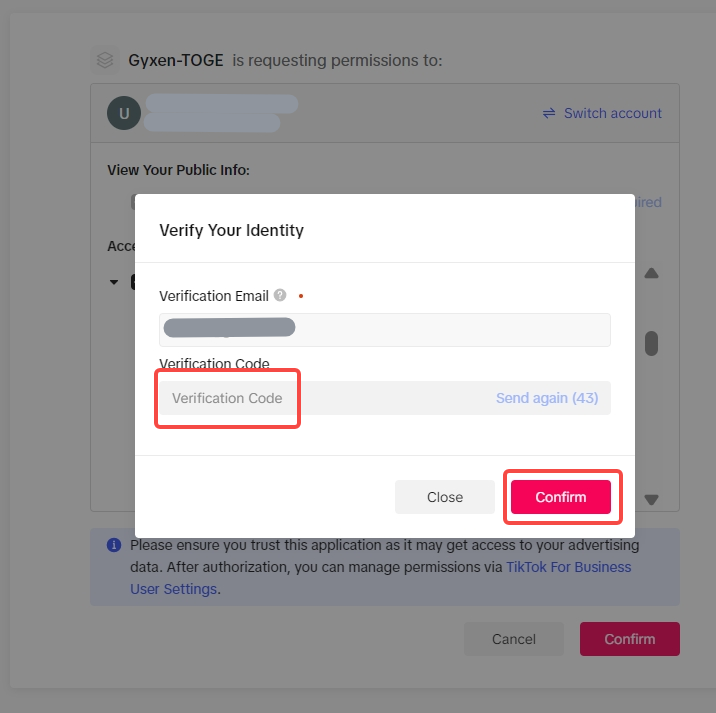
- Agree to access all permissions related to your TikTok ad account.
- Click Confirm.
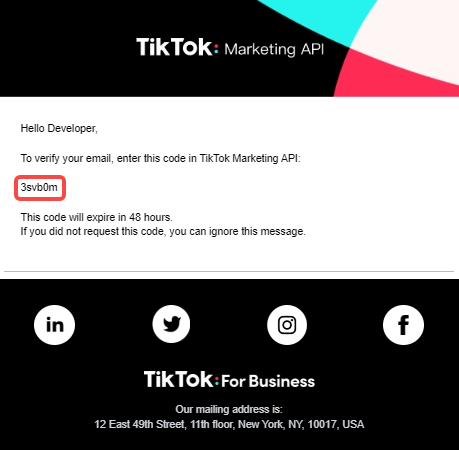
- Verification code sent via email — access your inbox to continue.
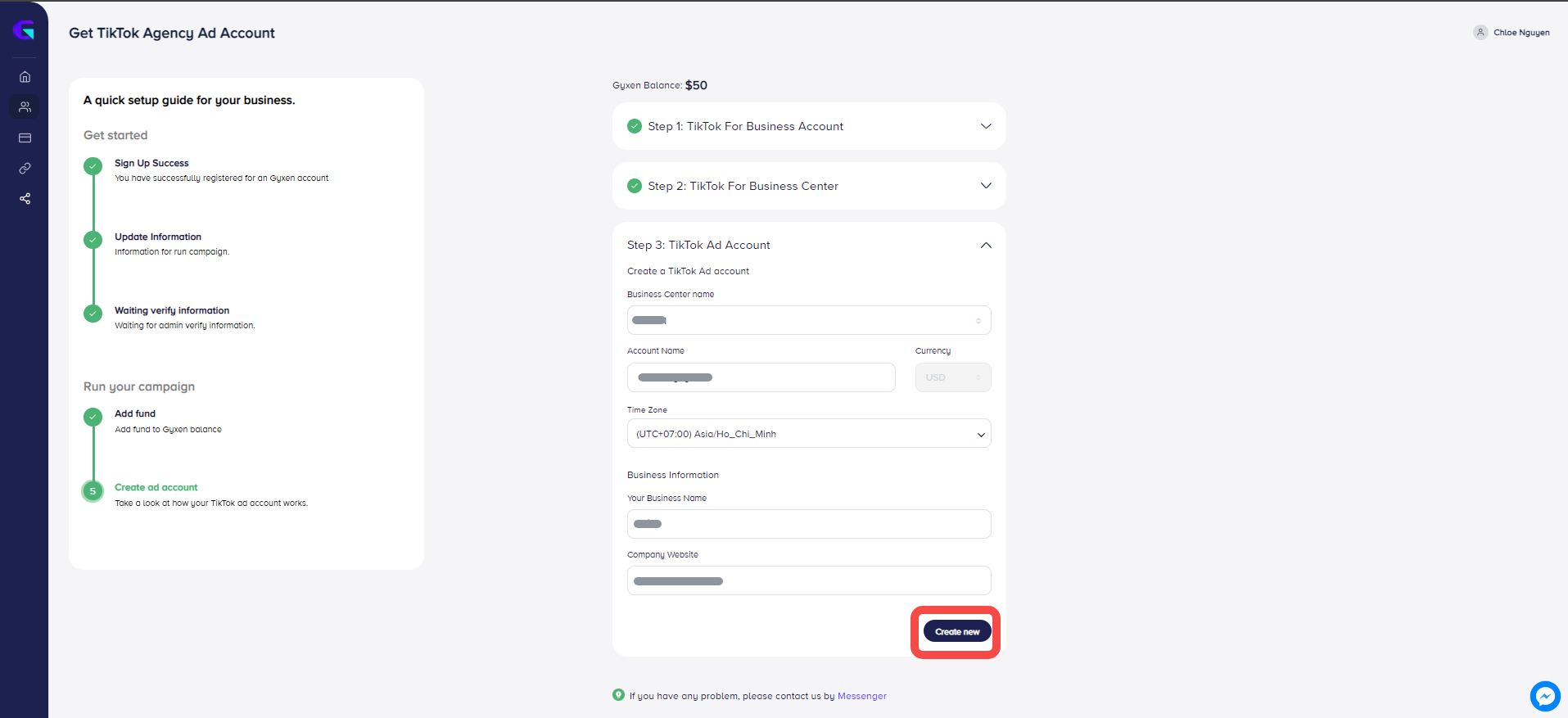
- Return to the Gyxen Media platform and complete the remaining required fields.
- Name your Business Center and select your timezone. Create a new account.